Failed Orders in a Rental Panel: Resend, Custom Resend and Refund Rules
Failed orders are a normal part of selling through supplier APIs. Handle them in the right order and customers rarely notice.
Key takeaways
- Orders fail for ordinary reasons: supplier outages, bad links, removed services and timeouts.
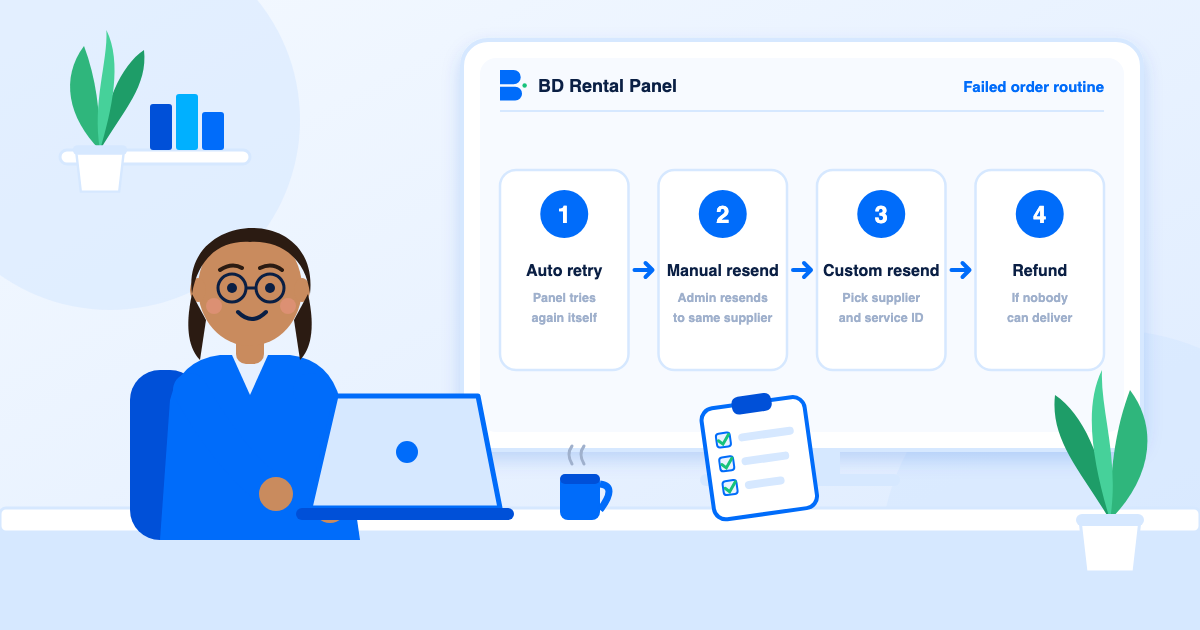
- Work in this order: automatic retry, manual resend, custom resend to another supplier, then refund.
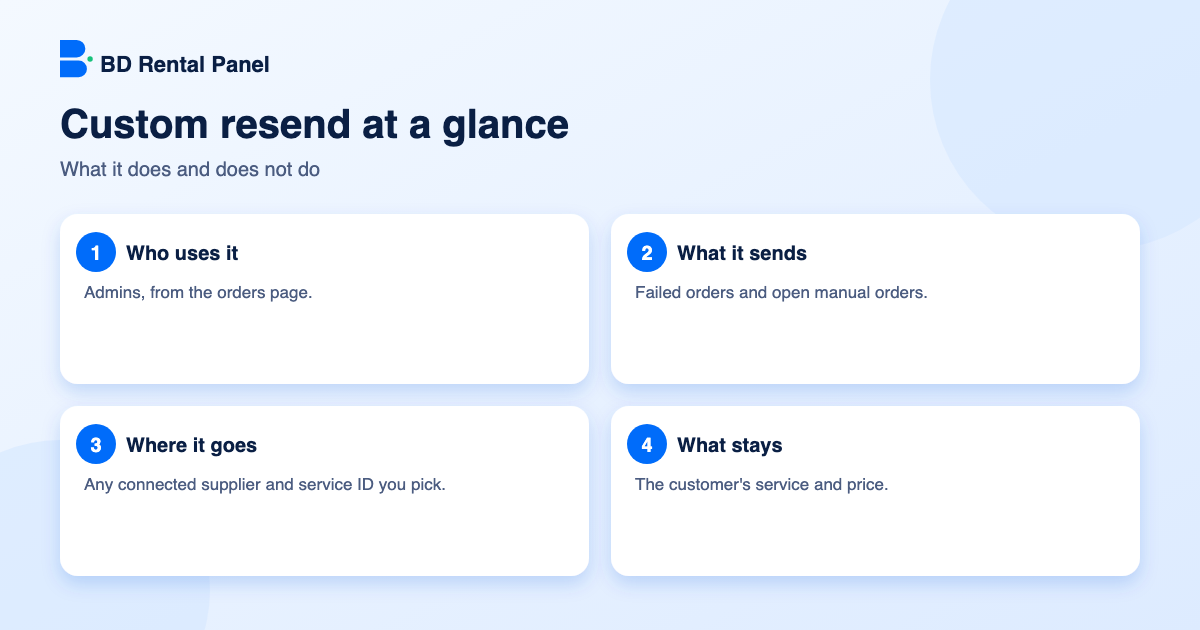
- Custom resend lets an admin pick the supplier and service ID, while the customer keeps the same service and price.
- Once a supplier accepts it, the order behaves like any other API order.
If you sell through supplier APIs, some orders will fail. That is not a sign something is wrong with your panel; it is what happens when two systems talk over the internet. What separates a calm panel from a stressful one is a clear routine for the failures. This guide sets out that routine and explains the newest tool in it, custom resend.
Why orders fail
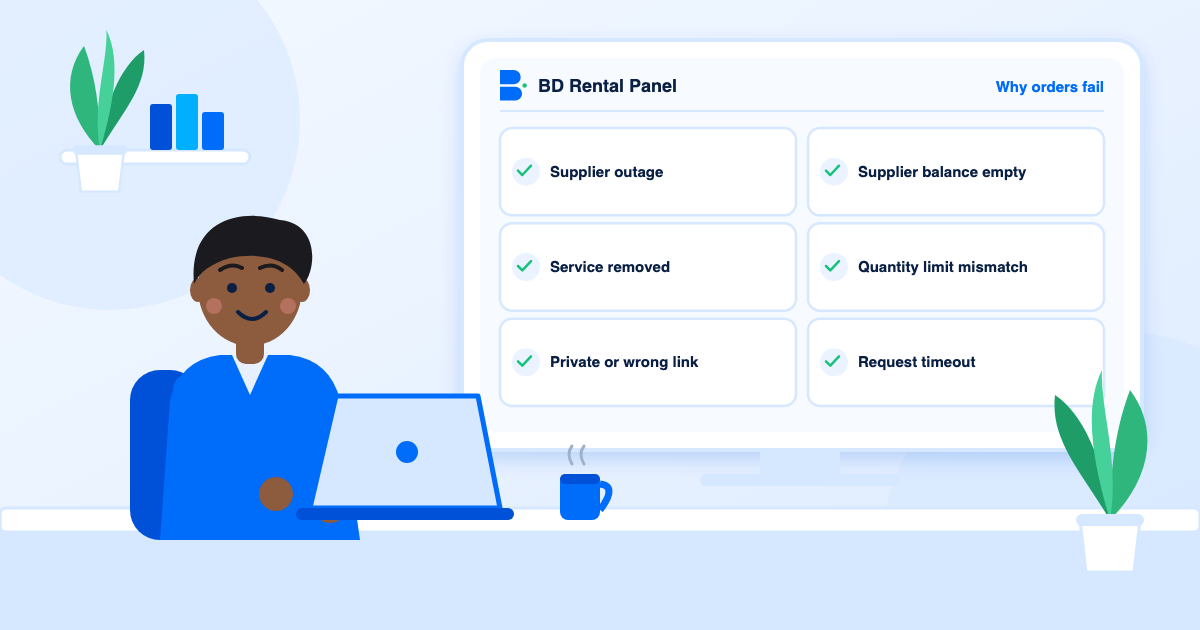
- Supplier outage or slow response, so the request times out.
- The supplier removed or renamed a service.
- The customer's link is private, deleted or wrong.
- The supplier's balance ran out.
- Quantity limits that the panel and supplier disagree on.
Step 1: automatic retry
A failed API response should not wait for you to notice it. The panel can retry on its own, with the number of attempts you set. Most transient problems clear on a second or third try, and the customer never knows. This single setting removes a large share of manual work.
Step 2: manual resend
If retries are used up, an admin can resend the order to the same supplier from the orders page. Do this when you know the cause was temporary, such as a short outage that has now ended.
Step 3: custom resend to another supplier
Sometimes the original supplier will not take the order at all: the service is gone, or the supplier is down for hours. Custom resend, on the admin orders page, solves this. The admin chooses any connected supplier and types the service ID there, and the order is sent to that supplier instead.
The panel can check the service on the supplier first, so you see what the supplier says about it before anything is sent. Orders go one at a time, each claimed before it is sent, so nothing is ever sent twice.
- It works for failed orders and for open manual orders.
- The customer keeps the same service and the same price. Only the place of delivery changes.
- Nothing is charged or refunded by the resend itself, because the customer has already paid.
- Once the supplier replies with an order ID, the order becomes an ordinary API order. Status, start count, remaining quantity, completion and partial or cancel refunds then update automatically.
- Drip-feed and subscription orders cannot be resent this way.
Step 4: refund when delivery is not possible
If no supplier can deliver, cancel and refund. A quick, clean refund keeps trust better than a slow, uncertain one. Write your policy once in your terms and FAQ; see terms and refund policy. The cancel and refund tools in the admin do not need a developer.
Prevent failures in the first place
- Keep two or more suppliers for your important services. See how to choose suppliers.
- Check supplier balances before busy days.
- Block duplicate orders on the same link.
- Validate minimum and maximum quantities.
- Use scheduled sync so removed or changed services are caught early.
Tell the customer
You do not need to message every customer about a retry. If an order will be late, say so on the ticket in one short, honest sentence and give a time. Our support playbook has templates.
A worked example
A customer orders 5,000 views. The first supplier answers with an error because that service was removed. Automatic retry fails three times. An admin opens the order, sees the error and knows the service is gone, not just slow. Instead of cancelling, the admin chooses custom resend, picks a second connected supplier and types the matching service ID. The panel checks what that supplier says about the service, sends the order and receives an order ID. From that moment it is a normal API order: status, start count and remaining quantity update by themselves, and if the supplier later delivers only part, the partial refund works as usual. The customer saw a short delay and nothing else.
Before you resend
- Check that the second service is the same kind and quality as the first.
- Confirm the quantity limits allow this order.
- Make sure the new supplier's cost still leaves you a margin, since the customer price stays the same.
- Confirm the supplier balance can cover it.
Cancel, partial and refund rules
Decide your rules in advance. A common policy is to refund in full when nothing was delivered, refund the undelivered part when delivery was partial and refuse refunds for orders delivered as described. Put it in your terms and FAQ. See terms and refund policy.
Track what fails
If the same supplier or service keeps failing, you do not have a failed-order problem, you have a supplier problem. Count failures per supplier each week. A supplier with a high failure rate costs you time and goodwill even when you resend successfully. How to choose suppliers explains how to test and rank them.
Frequently asked questions
An admin tool that sends a failed or open manual order to a supplier and service ID the admin chooses, while the customer keeps the same service and price.
Yes. Once the supplier accepts it, the order is an ordinary API order and partial or cancel refunds work as usual.
No. Drip-feed and subscription orders cannot be resent this way.
No. Each order is claimed before it is sent, one at a time.
On the admin orders page, as an option for eligible failed or open manual orders.
Launch your own rental panel
Hosting, SSL and updates included, live on your domain in minutes.