Rental Panel Pricing Models Explained: Flat Plans, Order Tiers and Lifetime Deals
Two panels can both say "from $5 a month" and cost very different amounts a year later. Learn the four pricing models and how to test them with your own numbers.
Key takeaways
- There are four common models: flat plans, order-based tiers, revenue share and one-time deals.
- The headline price matters less than how the price moves when your orders double.
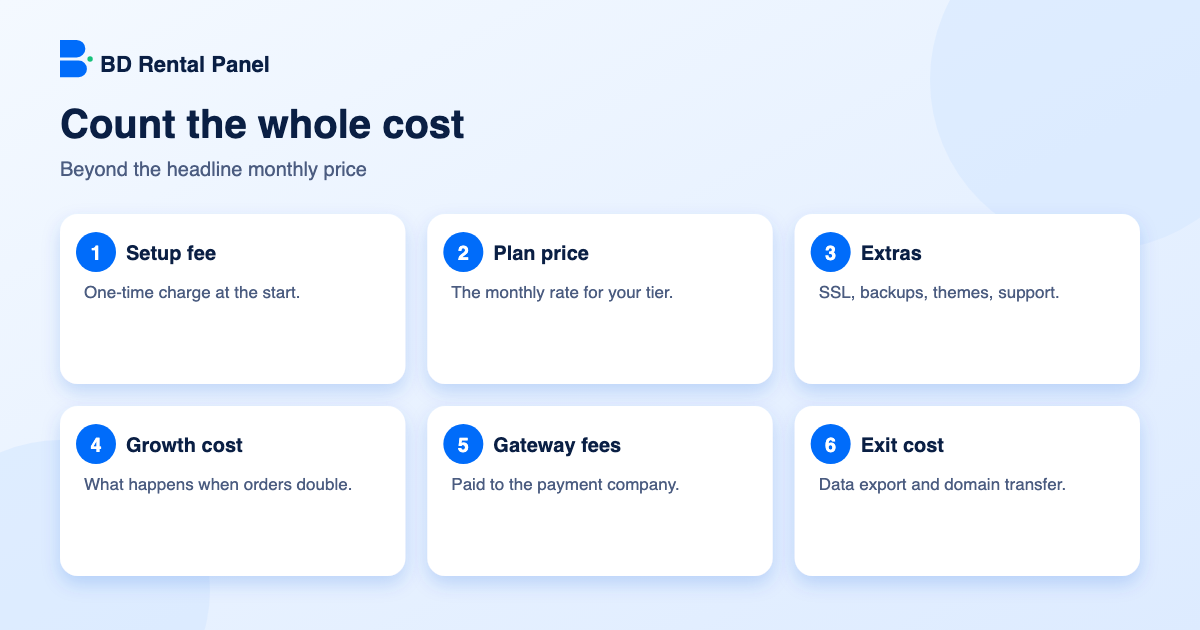
- Count setup fees, extras, payment fees and the cost of leaving, not just the monthly rate.
- A five-minute table with your expected orders at month 1, 6 and 12 settles most arguments.
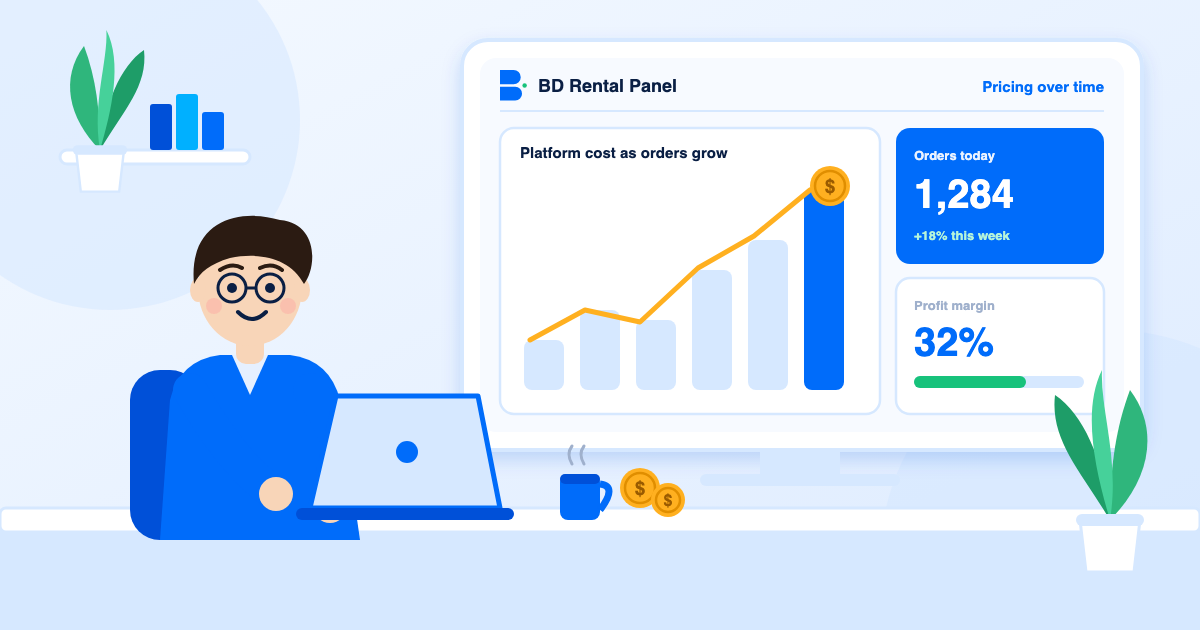
A price on a landing page is a promise about month one. What you actually pay is decided by the model behind it, and the model decides what happens in months six and twelve, when your panel is busier. This guide walks through the four models you will meet, shows what each does to your costs and ends with a quick method to compare any provider.
Model 1: the flat plan
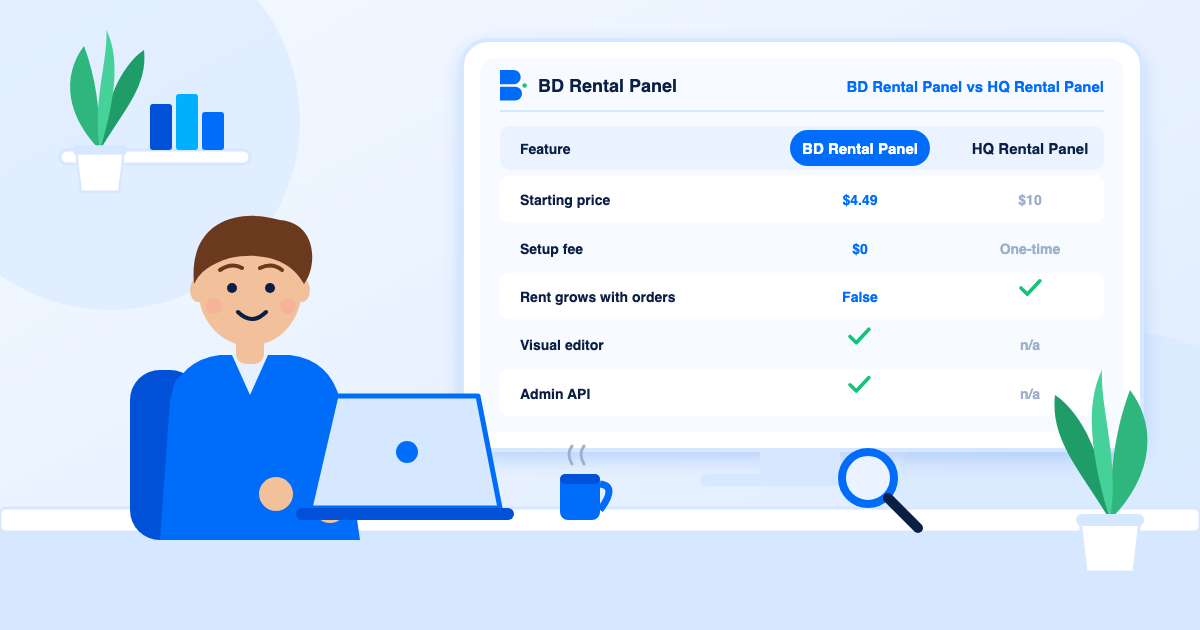
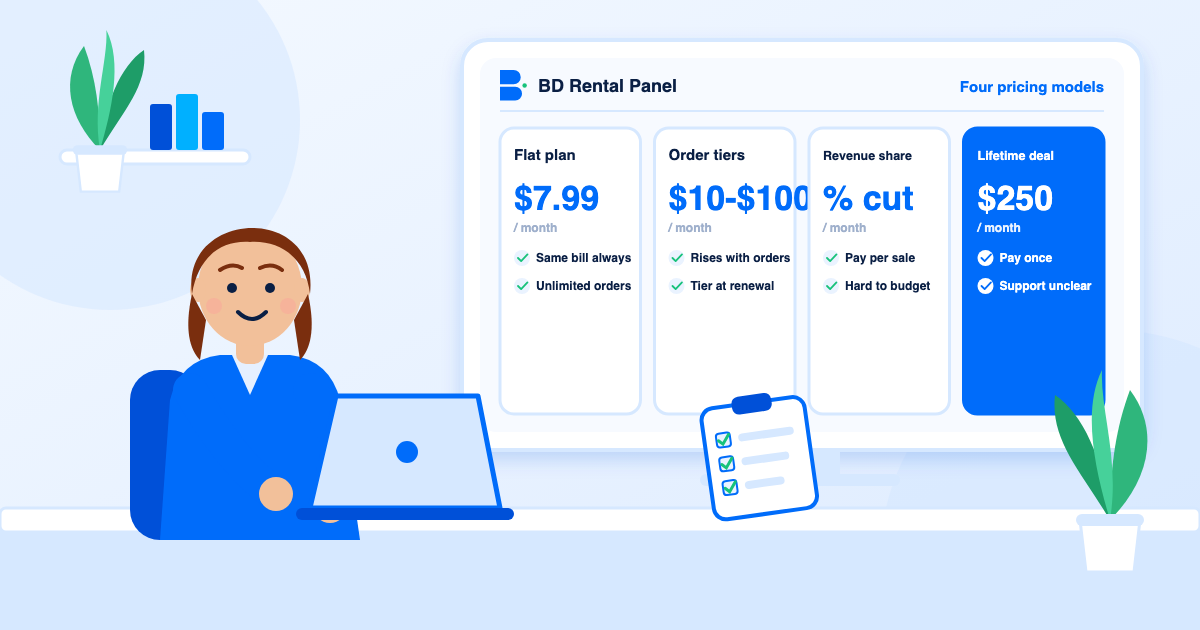
You pick a plan and pay the same each month. The plan sets what you can do (how many suppliers, which editor, whether you get an API), not how many orders you may take. Here that means Standard Child Plan at $4.49, Premium Child Plan at $6.49, Standard Plan at $7.99 and Premium Plan at $11.49, all with unlimited orders and a $0 setup fee.
The strength is predictability: you can write next year's platform cost before your first sale. The weakness is that you may pay for capability you do not yet use, such as a visual editor.
Model 2: order-based tiers
The provider charges by how many orders your panel handles in a period. One well-known platform runs from $5 for up to 700 orders to $100 for more than 250,000; another from $10 for up to 2,000 orders to $100; an older ladder from $10 for 100 orders to $150 for 200,000. Each also differs on setup fees and on when a higher tier starts.
The strength is a very low price for a tiny panel. The weakness is that your platform bill rises with success, you must forecast volume to budget, and a promotion that works can push you up a tier. Read BD Rental Panel vs HQ Rental Panel for a worked example.
Model 3: revenue share
A percentage of sales or a small fee per order. It looks cheap on day one because you pay nothing until you earn. It becomes the most expensive model as you scale and makes it hard to know your true margin. Many owners only notice after a good month. Neither the plans here nor the order of costs above involve any revenue share.
Model 4: one-time or lifetime deals
You pay once and use the panel "forever". It can work, but only if the provider keeps hosting, securing and updating your panel for years. Ask what lifetime means in writing: the panel, the company, or a fixed number of years. See BD Rental Panel vs Rent My Panel and is a free rental panel really possible.
A worked example (illustrative)
Take a panel that grows from 500 orders a month to 20,000 over a year.
| Month | Orders | Typical order ladder | Standard Plan | Premium Plan |
|---|---|---|---|---|
| 1 | 500 | $5 to $10 | $7.99 | $11.49 |
| 4 | 3,000 | $20 to $35 | $7.99 | $11.49 |
| 8 | 10,000 | $35 to $50 | $7.99 | $11.49 |
| 12 | 20,000 | $50 to $75 | $7.99 | $11.49 |
Over those twelve months the ladder can cost several hundred dollars, while Premium Plan costs $137.88 and Standard Plan $95.88. The ladder wins only in the first month or two. After that the flat plan is cheaper, and the gap widens each month.
Costs people forget
- Setup fee. Some providers charge $1 to $10 at the start.
- Extras. SSL, backups, premium themes, API access and support are sometimes sold separately.
- Renewal price. Does it match the first month?
- Gateway fees. You pay these to the payment company, not to the provider, but they cut your margin.
- Supplier balance. Working capital you must hold to fulfil orders.
- Exit cost. Can you export your data and move your domain?
Compare any provider in five minutes
If two providers land within a few dollars of each other, choose on security, backups and support. If one is far cheaper, find out what is missing. More on the full picture in the rental panel price guide.
- Write your expected orders for months 1, 6 and 12.
- Look up each provider's price at those volumes.
- Add setup fees and any paid extras.
- Add the cost of features you must have, such as an admin API.
- Total the twelve months side by side.
Reading a pricing page like an analyst
Pricing pages are written to convert, not to inform. A few habits cut through the polish. First, look for the footnote: an asterisk next to a price usually hides the condition that matters. Second, find the order cap or tier boundary and ask what counts as an order. Third, check what is missing from the plan table rather than what is present, since an absent feature is often an upsell. Fourth, read the renewal terms, because introductory prices have a habit of changing.
Your gateway fees are part of the bill
Payment gateways charge you a percentage, typically a few percent per deposit. That cost does not come from your rental provider, but it comes out of the same margin. On a $4 order a 3% fee is twelve cents. Use per-method fees and minimum amounts to protect small deposits, and read best payment gateways to pick methods that suit your customers.
A simple rule for choosing a model
- Under 100 orders a month and uncertain: an order-based first tier or a child plan keeps the cost lowest.
- Steady orders and growth plans: a flat plan, so cost does not climb with revenue.
- Many panels or white-label resale: look for plans that include child panel selling.
- Anything labelled lifetime: ask the five questions on Rent My Panel compared first.
Frequently asked questions
For a tiny panel an order-based first tier or a low child plan. For a growing panel a flat plan usually costs less over a year.
Some do. Here there is no revenue share and no per-order fee.
It is common. Here the setup fee is $0 on every plan.
From $4.49 to $11.49 a month. See the [pricing page](/pricing).
It covers the work of creating your panel. Here that work is automated and the setup fee is $0.
Launch your own rental panel
Hosting, SSL and updates included, live on your domain in minutes.