BD Rental Panel vs Rental Panel BD: Same Words, Different Providers
The names look almost identical, so people mix them up. Here is how BD Rental Panel and Rental Panel BD really differ on price, limits and tools.
Key takeaways
- BD Rental Panel and Rental Panel BD are different businesses with similar names. Check the web address before you pay.
- Rental Panel BD lists Child $5, Plan A $8 plus $3 setup, Premium $13 plus $1 setup and Premium Child $7.50.
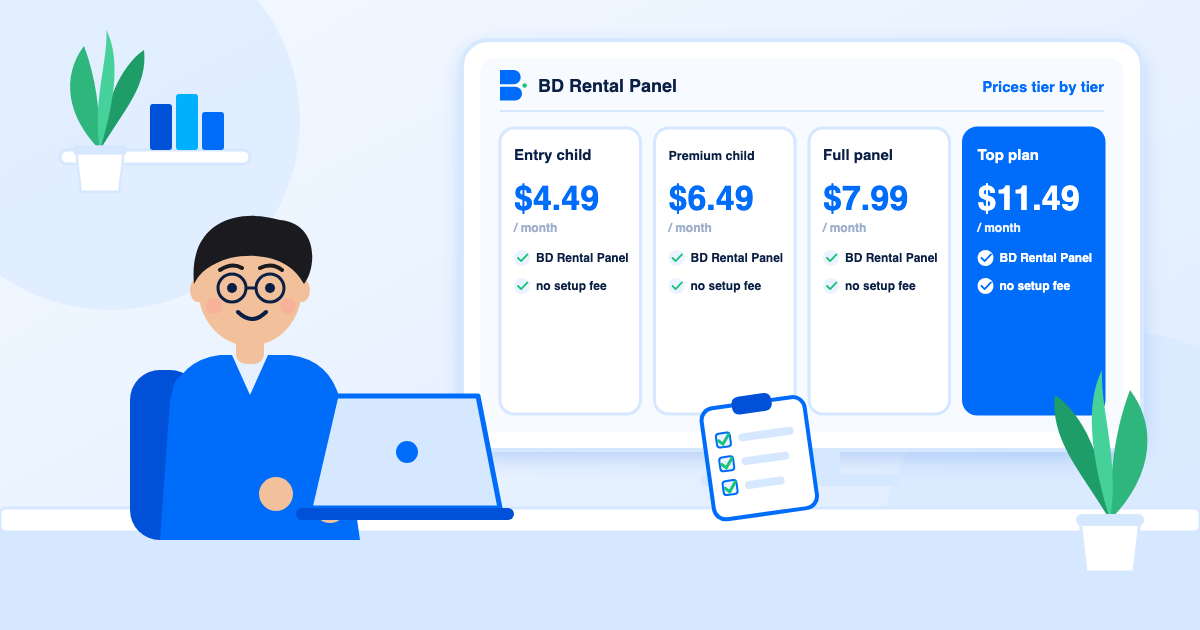
- BD Rental Panel lists $4.49, $6.49, $7.99 and $11.49 with no setup fee.
- Both include unlimited orders, hosting and SSL; the differences are price, editor, API and published security detail.
Swap two words and you get another company. That is the situation here, and it causes real mix-ups: people search for one name, land on the other and compare the wrong prices. Before anything else, check that the address in your browser is the provider you meant.
The facts for Rental Panel BD below come from its public pricing and features pages, read in November 2026. Ours come from the pricing page.
Prices, tier by tier
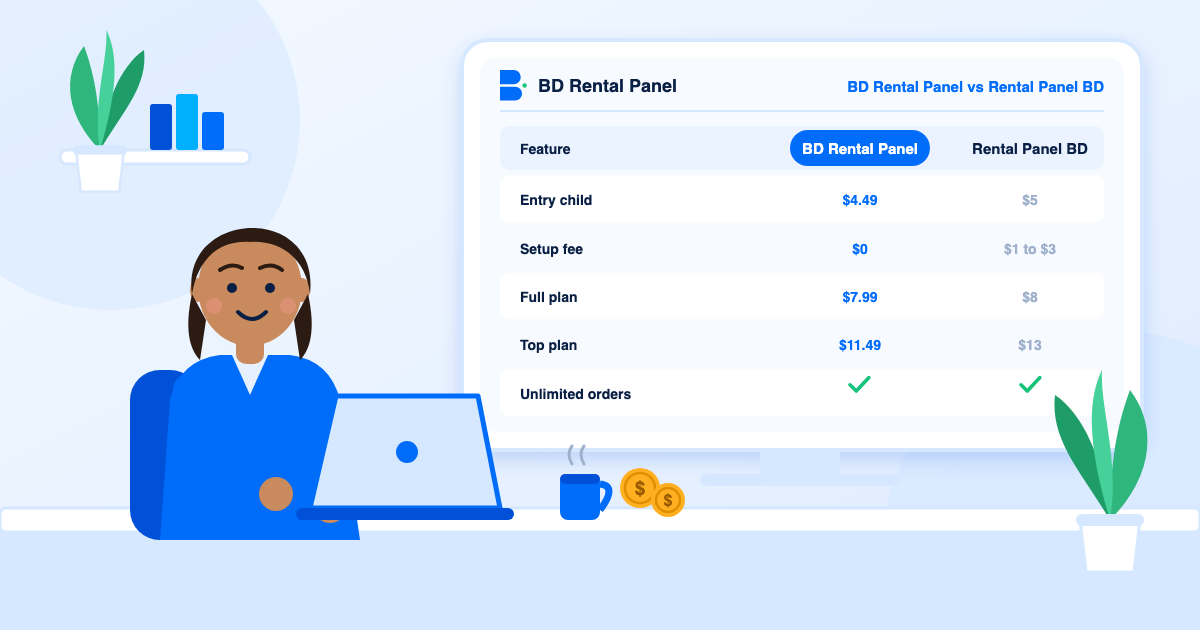
At every comparable tier the price here is lower, and there is no setup fee to add. Over a year the top plan alone is about $18 less. The saving is modest, which means price should not be your only reason to choose.
| Tier | BD Rental Panel | Rental Panel BD |
|---|---|---|
| Entry child plan | $4.49 a month | $5 a month |
| Premium child plan | $6.49 a month | $7.50 a month |
| Full panel | $7.99 a month, no setup fee | $8 a month plus $3 setup |
| Top plan | $11.49 a month, no setup fee | $13 a month plus $1 setup |
What the plans include
Both providers give unlimited orders, hosting, free SSL, DDoS protection and backups. Both separate child plans (one supplier) from full plans (unlimited suppliers). Rental Panel BD describes its Premium plan with extra interface features, priority support, weekly updates and admin API documentation.
On the Premium plan here you get the visual editor, all premium themes, a custom admin address, a Telegram bot and the admin API with documentation. Child plans leave out multi-currency, average delivery time, updates and the admin API; that is stated on the plan itself, so there are no surprises. If you are unsure which type you need, read rental panel versus child panel.
Payments
Rental Panel BD lists 50+ payment methods. Here there are 44 gateways, including Stripe, PayPal, several crypto gateways and local wallets for India, Pakistan, Bangladesh, Egypt and parts of Africa. As always, the number matters less than whether your customers' own method is on the list. Open the payment methods page and test the one you need.
Features that save time
Rental Panel BD also has useful tools: reports, localisation, an affiliate system, a chat assistant and a Telegram channel. Neither list wins every row, but the longer one for order automation and design is here.
- Refill that notices drops and tops up exactly what is missing, with a window up to 365 days.
- Automatic retry of failed orders, with the number of attempts you set.
- Start count and auto-complete so statuses update on their own.
- AI translation of service names and descriptions, plus an assistant in the admin area.
- Marketing tools: email campaigns, broadcasts, affiliate programme, built-in blog and SEO fields.
Security and updates
Here, protection is documented: SSL, enterprise DDoS protection, a web application firewall, a CDN, admin captcha, two-factor sign-in for staff and customers, role-based staff, an activity log and daily backups. Updates arrive with a backup taken first. The security checklist explains why each matters.
Verdict
Pick BD Rental Panel for the lower price at each tier, no setup fee and the visual editor and admin API. Pick Rental Panel BD if you have tested its demo and prefer its interface or a gateway it lists. Either way, confirm the web address, start on a monthly plan and place a test order.
How to avoid mixing them up
This sounds trivial until you have paid the wrong company. If you are unsure which site you are on, close the tab and type the address yourself.
- Read the address bar. One name is "BD Rental Panel", the other "Rental Panel BD". The domains differ.
- Check the checkout brand. The name on the payment page should match the site you meant to buy from.
- Compare contact details. Different support channels mean different businesses.
- Bookmark the one you choose so a later search does not send you to the other.
Child plans compared
Both providers sell a one-supplier child plan at a low price. A child panel is a good fit for a reseller who wants a branded storefront and has one trusted supplier. It is a poor fit if you want to compare suppliers or sell child panels yourself. Here the child plans leave out multi-currency, average delivery time, updates and the admin API; Rental Panel BD lists its own differences between child and full plans on its pricing page. Read baby, mother and child panels explained before picking one.
Setup fees in context
A $1 or $3 setup fee will not decide your business. It matters as a signal. A provider that charges nothing to set you up has chosen to earn only from monthly service, which aligns its interest with keeping you happy month after month. A provider that charges for setup earns something even if you leave quickly. Neither is dishonest, but it is useful to know which you are dealing with.
What to test in each demo
The demo test guide turns this into a 30-minute scored test.
- Place an order as a customer and time how long it takes to find the add-funds page.
- Connect a supplier and import ten services.
- Change a theme colour and publish.
- Open a ticket with a specific question and compare the replies.
Frequently asked questions
No. They are different providers with similar names. Check the web address before you pay.
At comparable tiers, BD Rental Panel: $4.49 against $5, $7.99 against $8 plus $3 setup, and $11.49 against $13 plus $1 setup.
No. The setup fee is $0 on every plan.
Yes, every plan on both sites lists unlimited orders.
Here, Premium plans include a visual editor. Rental Panel BD lists premium themes and extra interface features; check its demo for what editing it offers.
Launch your own rental panel
Hosting, SSL and updates included, live on your domain in minutes.